Booking a doctor on Doctoralia
Doctoralia is the site most private doctors in Spain use for online booking. It listed more than 1,300 general doctors in Madrid when we checked, and it has a filter for doctors who speak English.
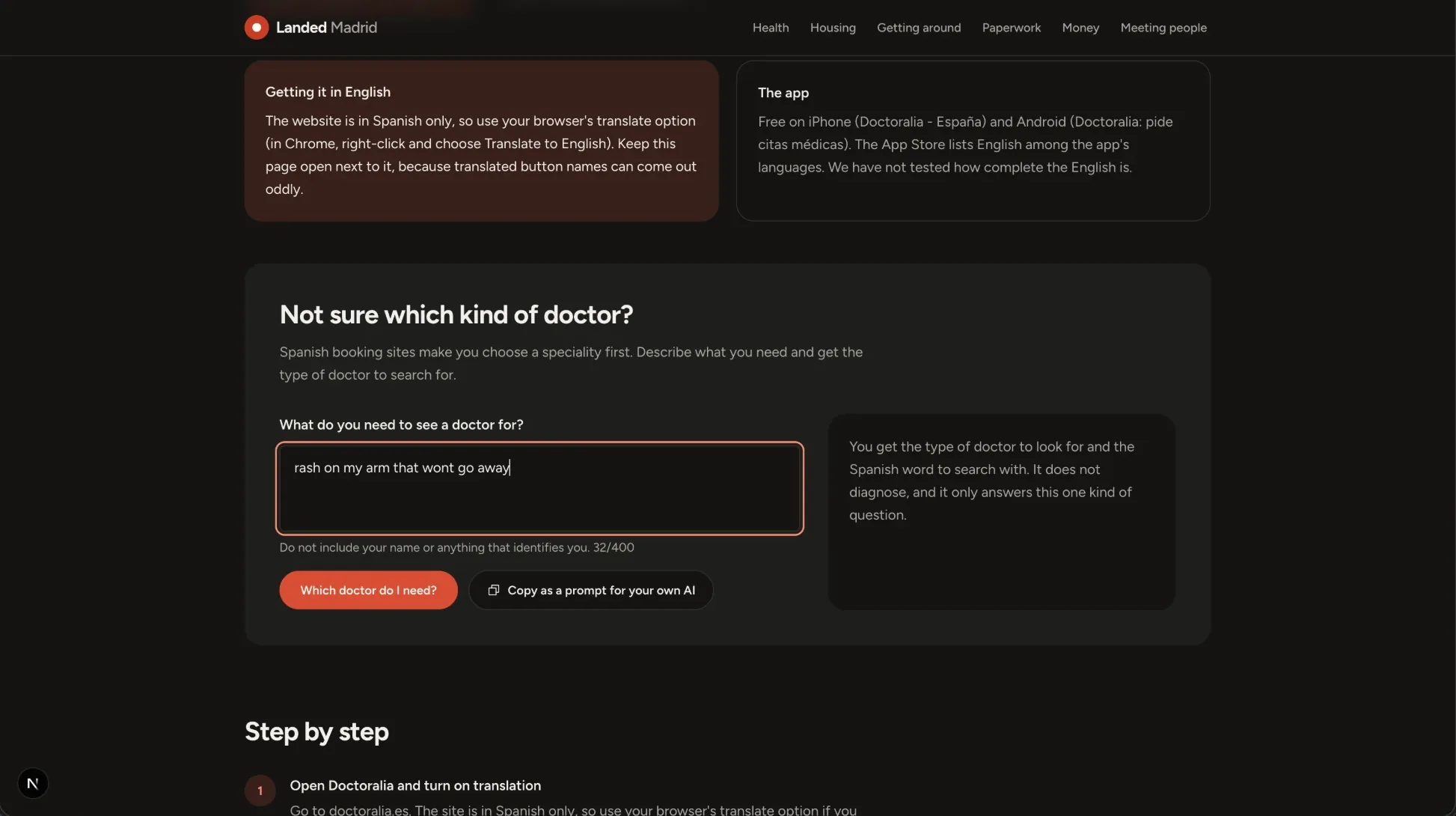
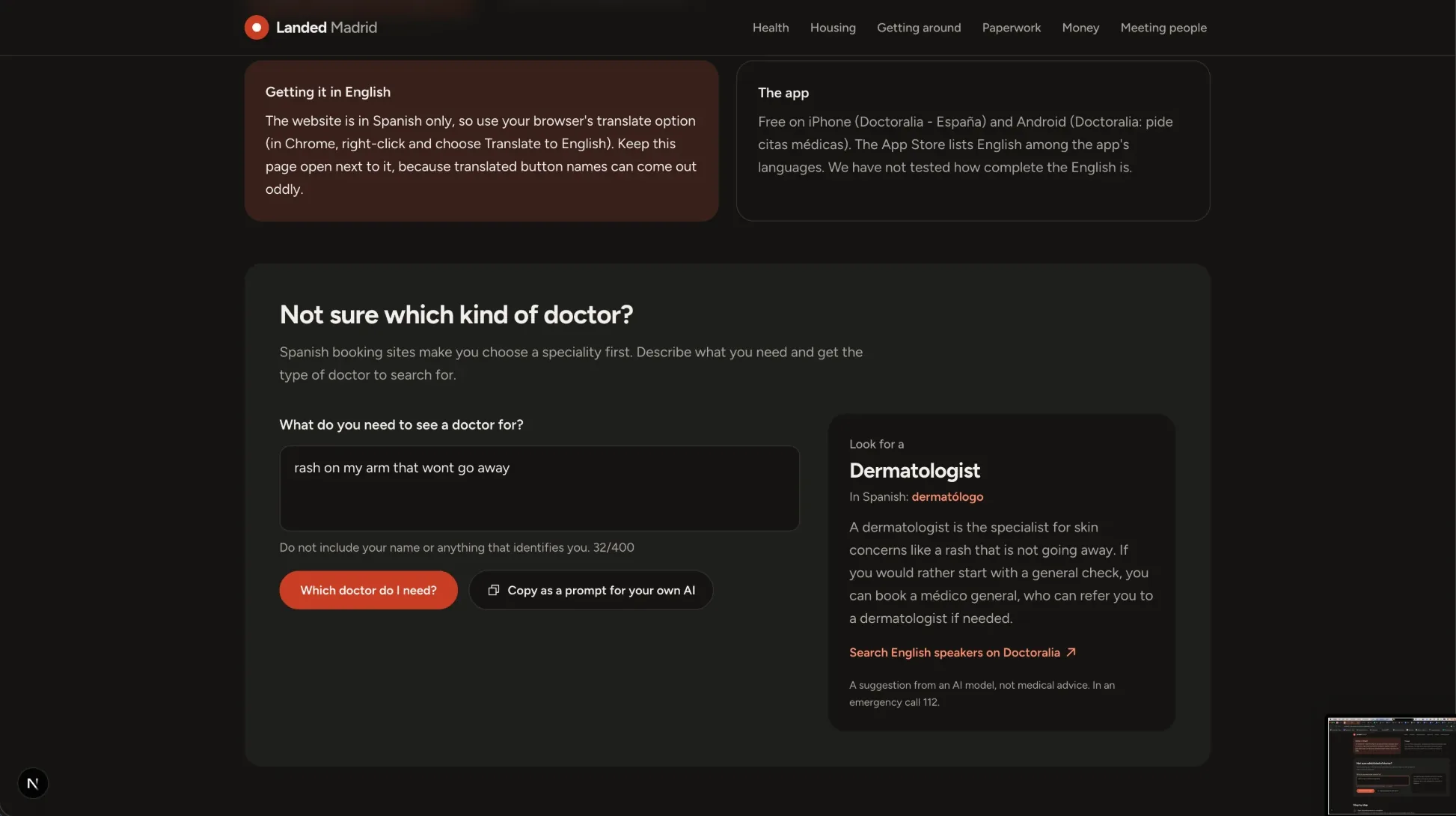
1. Describe what you need on Landed
Getting it in English
The website is in Spanish only, so use your browser's translate option (in Chrome, right-click and choose Translate to English). Keep this page open next to it, because translated button names can come out oddly.
The app
Free on iPhone (Doctoralia - España) and Android (Doctoralia: pide citas médicas). The App Store lists English among the app's languages. We have not tested how complete the English is.
Not sure which kind of doctor?
Spanish booking sites make you choose a speciality first. Describe what you need and get the type of doctor to search for.
Type what you need, copy the prompt and paste it into ChatGPT, Claude or any assistant you already use. It asks for the type of doctor and the Spanish word to search with.
Step by step
- 1
Open Doctoralia and turn on translation
Go to doctoralia.es. The site is in Spanish only, so use your browser's translate option if you want English, but keep this page open for the original Spanish button names, because translations of buttons can be odd. On a phone you will first see a prompt to install the app; tap 'Continuar en el navegador' to stay on the website. When the cookie box appears you can press 'Rechazarlas todas'.
- Ir a la app Go to the app
- Continuar en el navegador Continue in the browser
- Rechazarlas todas Reject all (cookies)
- Aceptar Accept
- Iniciar sesión Log in
- 2
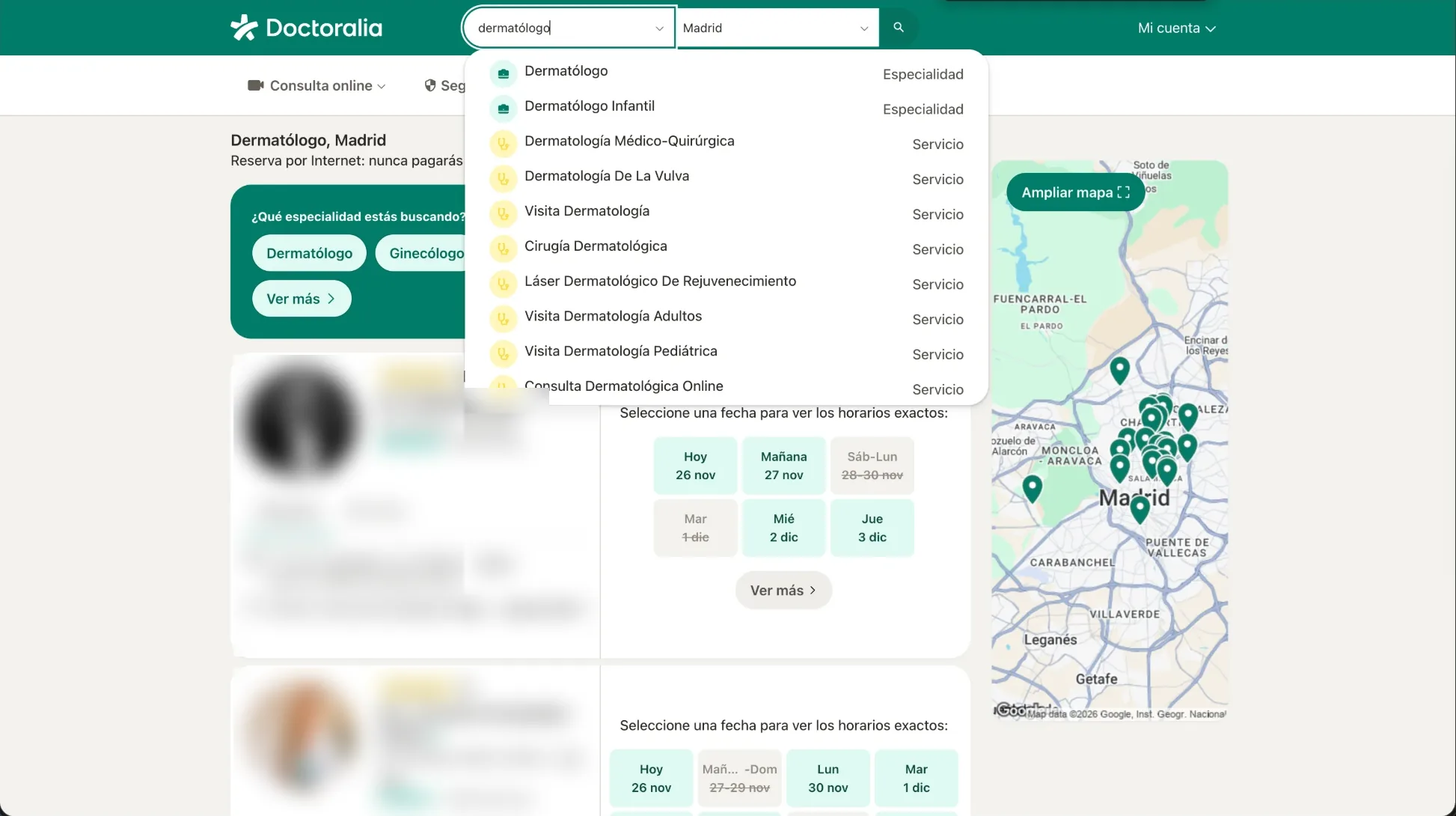
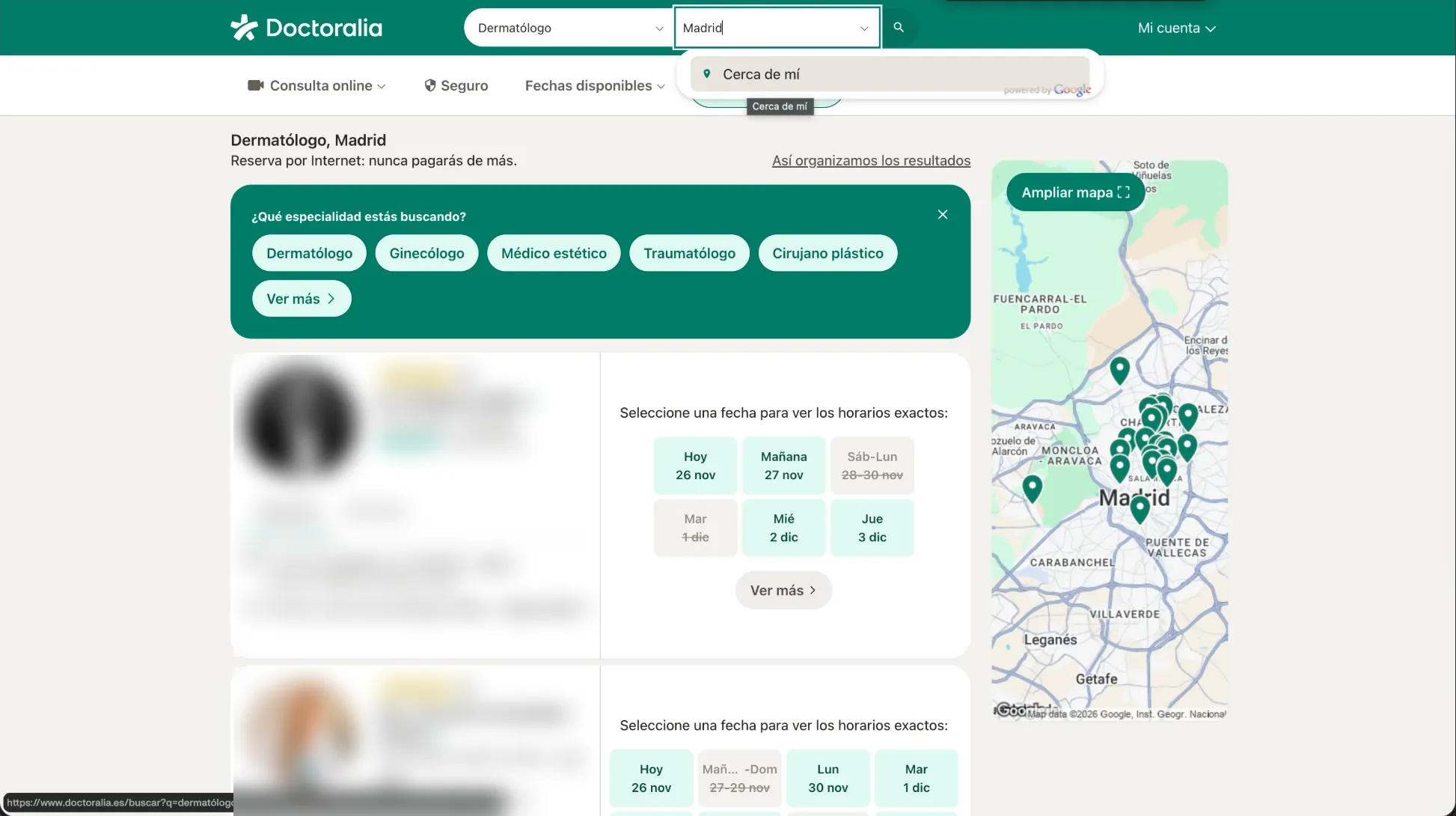
Search by speciality and city
There are two boxes. In the first, type the kind of doctor, for example 'médico general' (general doctor) or 'ginecólogo' (gynaecologist), and pick the suggestion. In the second, type 'Madrid', then press the magnifying glass. Above the boxes you can choose an in-person visit or an online one. You can skip this step by using our direct Madrid links.
- especialidad, enfermedad o nombre speciality, condition or name (first search box)
- p. ej. Madrid e.g. Madrid (city box)
- Visita presencial In-person visit
- Online Online visit
- Buscar Search
- 3
Filter for English, insurance and dates
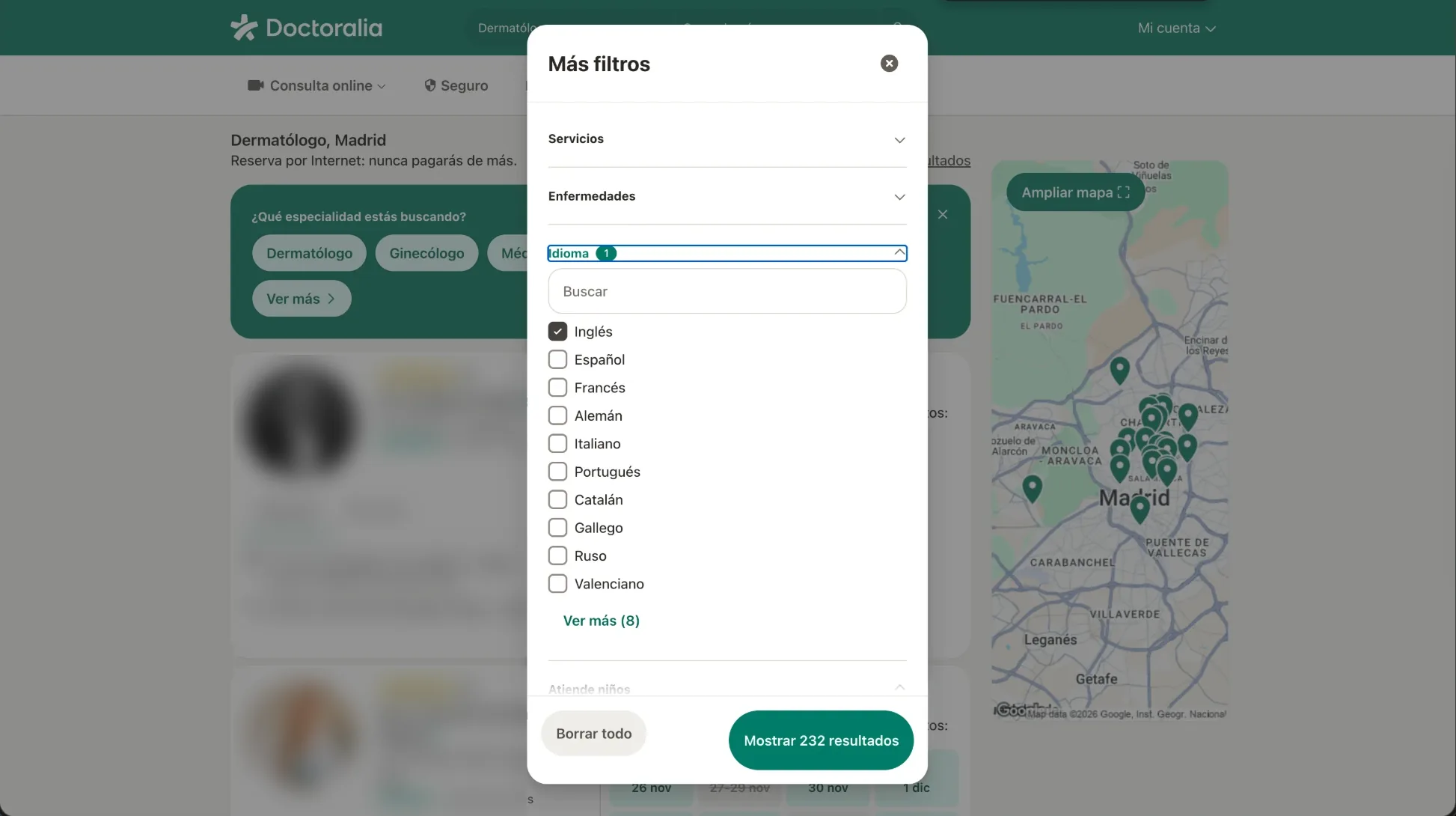
A row of filters sits above the results. Click 'Más filtros', open 'Idioma', tick 'Inglés' and press the green 'Mostrar ... resultados' button to see only doctors who say they speak English. 'Seguro' lets you pick your insurer from a long list (Adeslas, Asisa, Sanitas, DKV Seguros and Mapfre are at the top, with more than 130 others below, including Cigna). 'Fechas disponibles' narrows to doctors free today or in the next 3 days.
- Más filtros More filters
- Idioma Language
- Inglés English
- Seguro Insurance
- ¿Cuál es tu compañía aseguradora? Which is your insurance company?
- Fechas disponibles Available dates
- 4
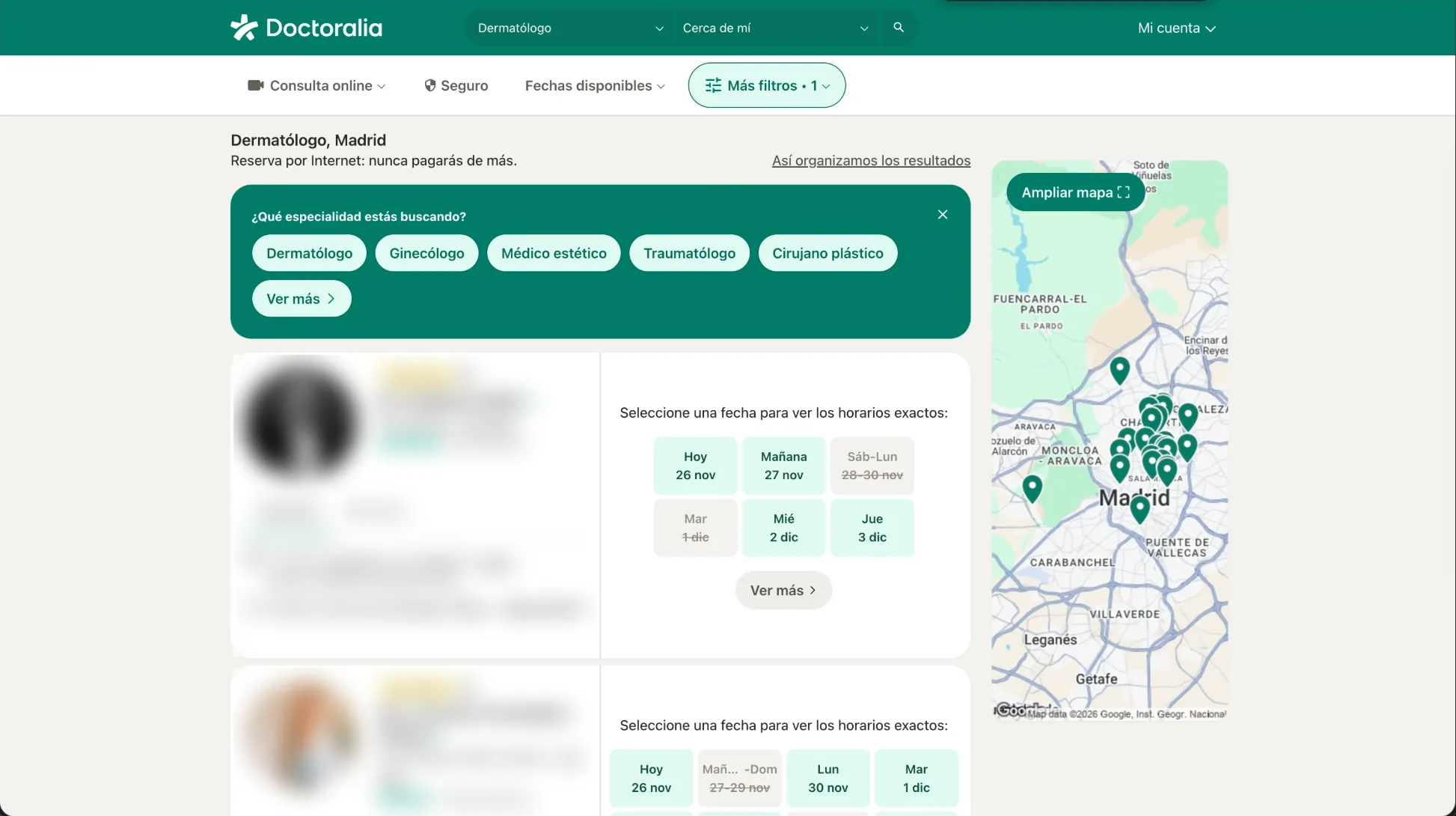
Read the results
Each card shows the doctor or clinic name, speciality, star rating with the number of reviews ('opiniones'), the address with a map link, and usually one service with its price in euros. Next to it is a small calendar of the next days; pick a date to see exact times. 'Destacado' marks a promoted listing (Doctoralia says paid subscriptions rank higher), and some cards say online booking is not available, which means you have to phone.
- opiniones reviews
- Destacado Featured (promoted listing)
- Pago seguro Secure payment (doctor accepts payment through Doctoralia)
- Dirección Address
- Mapa Map
- Primera visita First visit
- 5
Open the profile and check the details
Click the doctor's name. The profile has tabs for experience, services and prices, locations, insurers and reviews. Look at 'Servicios y precios' for the full price list, 'Formas de pago' for how you pay, 'Aseguradoras aceptadas' for which insurers are taken, and click 'Mostrar más detalles' to find 'Idiomas', where the languages spoken are listed.
- Experiencia Experience
- Servicios y precios Services and prices
- Consultas Consulting rooms (locations)
- Aseguradoras aceptadas Insurers accepted
- Formas de pago (visitas privadas) Ways to pay (private visits)
- Mostrar más detalles Show more details
- 6
Choose the visit and a time
The green 'Reservar cita' box on the right walks you through four choices: the address (or 'Consulta online'), the service (for a first appointment choose the one starting 'Primera visita'), your insurer, and whether it is your first visit. If you are paying yourself, leave it on 'Reservo cita sin aseguradora'. Then click a time; times that are crossed out are taken, and 'Mostrar más horas' shows more.
- Reservar cita Book appointment
- Dirección Address (which clinic)
- Servicios Services (type of visit)
- Selecciona tu aseguradora Select your insurer
- Reservo cita sin aseguradora I am booking without insurance (paying myself)
- ¿Es tu primera visita con este especialista? Is this your first visit with this specialist?
- 7
Confirm the details and finish
After you click a time you land on 'Datos relativos a la cita'. Check the summary on the right: doctor, date and time, address and accepted payment methods. The reason for the visit and 'Visita privada' (private visit) are already filled in; press 'Continuar' to go on to your own details. We did not go past this point, so expect to be asked for your name, email, phone number and date of birth (these are the booking details Doctoralia's privacy policy lists). Doctoralia says the confirmation comes by SMS, WhatsApp or email and includes a link to cancel or change.
- Datos relativos a la cita Appointment details
- Motivo de la visita Reason for the visit
- Cambiar Change
- Aseguradora Insurer
- Visita privada Private visit (you pay yourself)
- Cambiar la fecha Change the date
Good to know before you book
- The English filter is self-declared
- Doctors tick the languages themselves. Filtering for Inglés cut the Madrid general doctor list from 1,327 to 314. Confirm by phone or message before you rely on it.
- You usually pay at the clinic
- Each doctor sets how you pay. Profiles show it under Formas de pago, often card or cash on the day. A Pago seguro badge means the doctor takes payment online.
- Insurance is chosen twice
- Pick your insurer in the Seguro filter and again in the booking box. Paying yourself is the default and is labelled Reservo cita sin aseguradora. Cover varies by doctor and service, so check with your insurer.
- Online visits exist
- The Online tab and the Consulta online filter show doctors who offer video, phone or chat appointments. The confirmation message says which one you booked.
- Cancelling
- You cancel or move a booking from your account or from the link in the confirmation message. Each doctor sets their own cancellation and refund rules, shown on the profile.
- What we could not check
- We stopped before entering personal details, so we do not know whether an account is compulsory or whether a US phone number is accepted. The privacy policy lists name, email, phone and date of birth for a booking, and no ID number.
What a private visit costs
Prices shown on the platform for Madrid when we checked. Paying yourself is called going “privado” or “sin seguro”.
General doctor, first visit
€35 to €150
General doctor, online
€35 to €70
Gynaecologist, first visit
€80 to €165
Words you will see
- Reservar cita / Pedir cita
- Book an appointment
- Médico general / Médico de familia
- General doctor / Family doctor (GP)
- Ginecólogo / Ginecóloga
- Gynaecologist (male / female)
- Especialista
- Specialist, also used for any listed professional
- Visita presencial / Consulta presencial
- In-person visit
- Consulta online / Videoconsulta
- Online consultation / Video consultation
- Primera visita
- First visit
- Visitas sucesivas / Revisión
- Follow-up visits / Check-up
- Seguro / Aseguradora
- Insurance / Insurer
- Reservo cita sin aseguradora / Visita privada
- Booking without insurance / Private visit (paying yourself)
- Otra (Reembolso)
- Other (reimbursement policy: you pay and claim back)
- Idioma / Idiomas
- Language / Languages
- Opiniones
- Reviews
- Servicios y precios
- Services and prices
- Formas de pago
- Ways to pay
- Efectivo / Tarjeta de crédito
- Cash / Credit card
- Fechas disponibles
- Available dates
- Más filtros
- More filters
- Dirección
- Address
- Urgencias médicas / Visita a domicilio
- Urgent care / Home visit
Other places to look
We are not connected to Doctoralia. Details were checked in November 2026 against:
- Doctoralia home page
- Doctoralia: general doctors in Madrid
- Doctoralia: gynaecologists in Madrid
- Doctoralia search with the English language filter applied
- Doctoralia gynaecology search with the English filter
- Doctoralia FAQ on online consultations
- Doctoralia general FAQ
- Doctoralia patient privacy policy
- Doctoralia: how results are ordered